Desktop Fiber, UV and CO₂ Laser Marking: Which Format Fits Your Line?
News Details
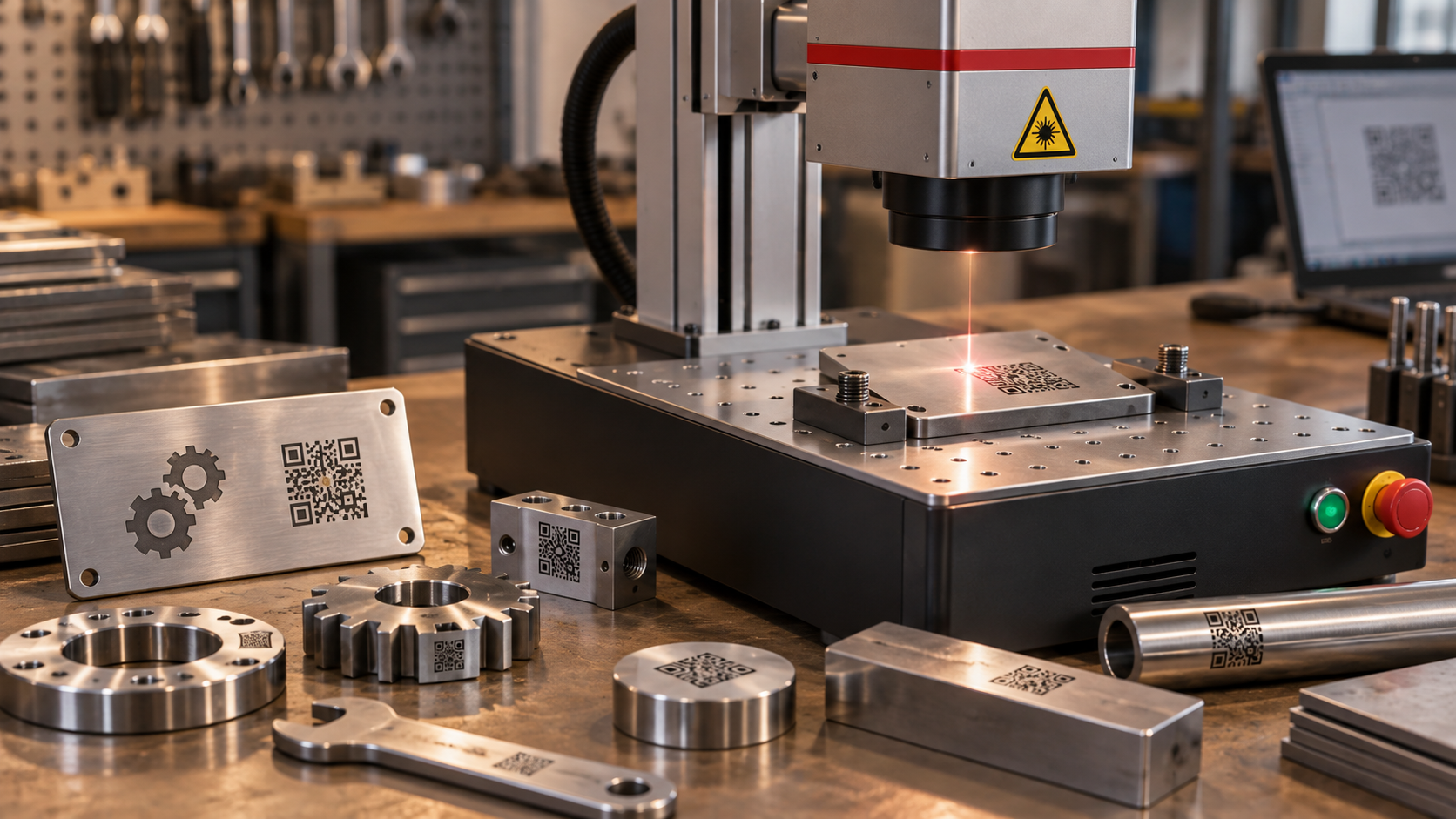
Choosing the right desktop laser marking machine can make your production line faster, cleaner, and more stable. Yet, many buyers face the same question: should they choose fiber, UV, or CO₂?
Each laser type has its own strengths. A desktop fiber laser marking machine is often used for metals and many hard plastics. A desktop UV laser marking machine is a better fit for fine marks on sensitive materials. A desktop CO2 laser marking machine is widely used for wood, paper, leather, glass, and many packaging materials.
So, the best choice depends on your material, mark quality, line speed, and daily workload.
What Is a Desktop Laser Marking Machine?
A desktop laser marking machine is a compact marking system designed for workshops, factories, labs, and small production areas. It can mark text, logos, QR codes, barcodes, serial numbers, batch numbers, and date codes on many products.
Compared with large marking systems, desktop models save space and are easier to place near a workbench or production line. Also, they often support clear, permanent marking with no ink, no labels, and fewer consumables.
Yuanshida provides industrial laser marking solutions, including desktop, handheld, portable, and benchtop models for different production needs. You can view more product types on the Yuanshida and the All Products page.
Desktop Fiber Laser Marking Machine: Best for Metal Parts
A desktop fiber laser marking machine is a strong choice for metal marking. It works well on stainless steel, carbon steel, aluminum, brass, copper, titanium, and many coated metals. It can also mark some hard plastics.
This format is often used in hardware, auto parts, tools, bearings, machinery parts, electronics, and metal tags. It is suitable for permanent marks that must stay clear after handling, storage, or assembly.
In addition, fiber laser marking is fast and stable. Therefore, it is a good fit for factories that need serial numbers, part codes, logos, and traceability marks on metal products.
Choose fiber if your main materials are metal parts, nameplates, tools, or industrial components.
Desktop UV Laser Marking Machine: Best for Fine and Sensitive Materials
A desktop UV laser marking machine uses a short UV wavelength. Because of this, it creates less heat during marking. This process is often called cold marking.
As a result, UV marking is a good option for materials that may burn, melt, or deform under higher heat. It is often used on plastics, glass, ceramics, electronic parts, medical packaging, cosmetic packaging, and precision components.
Also, UV laser marking can create fine, high-contrast marks. This makes it useful for small QR codes, tiny text, and detailed logos.
Choose UV if your products need clean, fine marks with low heat impact.
Desktop CO2 Laser Marking Machine: Best for Non-Metal Materials
A desktop CO2 laser marking machine is mainly used for non-metal materials. It works well on wood, paper, cardboard, leather, rubber, cloth, acrylic, glass, and many plastic packaging materials.
For packaging lines, CO₂ marking can replace ink printing in many cases. It can mark dates, batch numbers, QR codes, and brand information without ink or labels. Therefore, it can help reduce consumable use and daily maintenance.
CO₂ laser marking is common in food, beverage, pharmaceutical, cosmetic, craft, and packaging industries.
Choose CO₂ if your main products are cartons, bottles, films, leather goods, wood items, or other non-metal parts.
Fiber vs UV vs CO₂: Quick Selection Guide
If you mark stainless steel, aluminum, tools, metal tags, or machine parts, choose a desktop fiber laser marking machine.
If you mark glass, ceramics, fine plastics, electronic parts, or heat-sensitive materials, choose a desktop UV laser marking machine.
If you mark wood, paper, cardboard, leather, rubber, acrylic, or packaging materials, choose a desktop CO2 laser marking machine.
However, some materials can be marked by more than one laser type. For example, some plastics may work with fiber, UV, or CO₂. In this case, sample testing is the best way to confirm mark quality, speed, and contrast.
Key Factors Before Buying
First, check your material. The laser source must match the product surface. A wrong laser type may lead to weak contrast, burning, melting, or poor marking depth.
Next, think about the mark content. Simple text and serial numbers are easy for most systems. However, small QR codes, fine logos, and dense barcodes need higher precision.
Then, review your production volume. If your line runs for long hours, you need a stable system with strong cooling, reliable parts, and easy operation.
Also, consider the working area. Small parts may only need a standard marking field. Larger products may need a bigger lens, lifting column, or custom fixture.
Finally, check software and control options. A good machine should support common file formats, easy parameter setting, and repeatable marking jobs.
How Desktop Machines Fit Production Lines
Desktop models are useful because they balance size and performance. They can be placed beside a production line for offline marking, sample marking, or small-batch production.
For many buyers, this format is also a smart first step into laser marking. It is easier to install than a full inline system, yet it can still deliver professional marking quality.
In addition, desktop machines can support fixtures, rotary devices, and custom worktables. This helps factories mark round parts, tags, tools, bottles, and many other products more easily.
Why ChooseYuanshida?
Yuanshida focuses on industrial laser marking equipment and provides different machine formats for global B2B buyers. Its product range includes desktop fiber, desktop UV, desktop CO₂, handheld, portable, benchtop, and laser cleaning machines.
For buyers, this means you can compare several laser formats in one place. More importantly, Yuanshida can help you choose a machine based on your material, mark content, production speed, and budget.
Whether you need metal part marking, plastic coding, glass marking, or packaging identification, Yuanshida offers practical options for modern production lines.
Final Choice: Which Format Fits Your Line?
The right desktop laser marking machine starts with your material.
Choose fiber for most metals and many hard plastics. Choose UV for fine marks and heat-sensitive parts. Choose CO₂ for wood, paper, leather, glass, and packaging materials.
Before ordering, prepare your samples and marking files. Then test the real result. This step helps you confirm contrast, speed, depth, and surface quality.
With the right laser format, your production line can get cleaner marks, lower consumable use, and better traceability.


