Desktop Laser Marking Machines for Workshops and Small-Batch Production
News Details
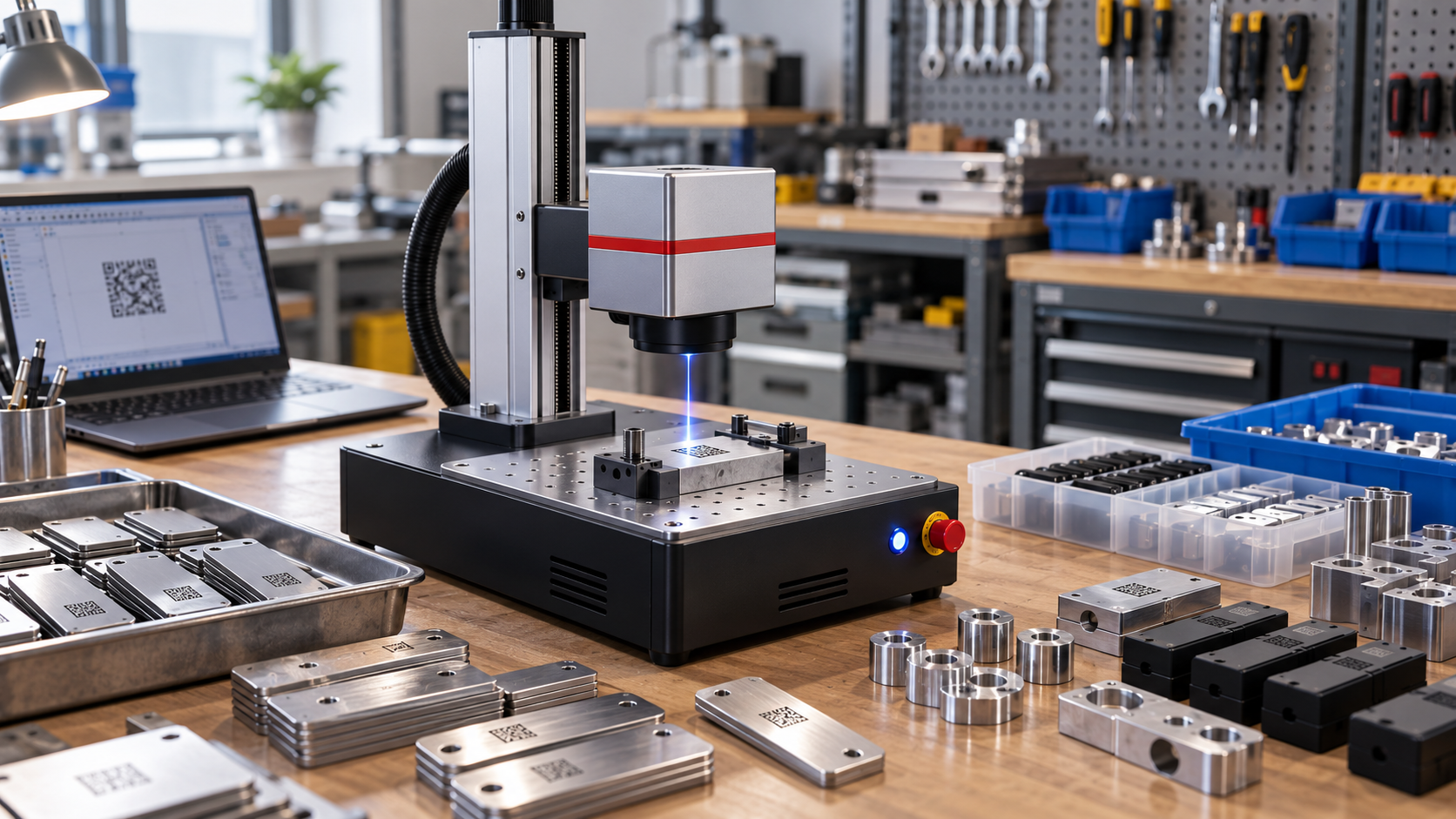
Small workshops and small-batch factories need marking equipment that is simple, stable, and easy to place. They may not have space for a large production line. However, they still need clear marks on parts, tools, packages, samples, and custom products.
A desktop laser marking machine is a good fit for this need. It takes up less space, yet it can create sharp and permanent marks on many materials. Also, it can help reduce ink, labels, and daily consumables.
Yuanshida provides industrial laser marking equipment for global buyers, including handheld, portable, desktop, benchtop, fiber, UV, CO₂, and laser cleaning machines. Its desktop laser marking machines are designed for high precision, easy use, and compact workspaces.
What Is a Desktop Laser Marking Machine?
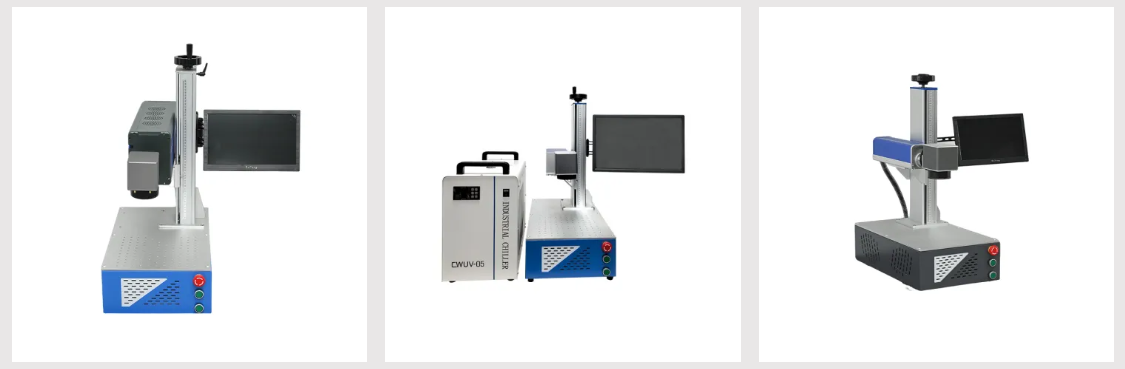
A desktop laser marking machine is a compact marking system placed on a workbench or small production table. It can mark text, logos, QR codes, barcodes, serial numbers, date codes, and batch numbers.
Compared with large inline systems, a desktop unit is easier to install and move. So, it is often used in workshops, repair centers, labs, sample rooms, custom product studios, and small factories.
In addition, a desktop model can support repeat jobs. Once the operator saves the marking file and settings, the same mark can be used again for the next batch.
Why Workshops Choose Desktop Models
First, desktop laser marking machines save space. Many workshops need every square meter for tools, storage, assembly, and packing. A compact laser engraver can fit into a smaller work area while still offering professional marking quality.
Second, the system is flexible. Operators can mark different products in one day, such as metal tags in the morning, plastic parts in the afternoon, and packaging samples later.
Third, laser marking does not need ink or labels. This helps lower daily running costs and keeps the workbench cleaner.
Also, the mark is permanent. It can resist handling, oil, heat, and wear better than many printed labels.
Desktop Fiber Laser Marker for Metal Parts
A desktop fiber laser marker is often the best choice for metal parts. It can mark stainless steel, carbon steel, aluminum, brass, copper, titanium, coated metal, and many alloys.
Common workshop uses include tools, nameplates, hardware, machinery parts, auto parts, bearings, gears, knives, metal tags, and electronic housings.
Fiber laser marking is fast and precise. Therefore, it is useful for serial numbers, part codes, QR codes, barcodes, logos, and safety marks. For small-batch production, it also helps improve traceability without slowing down the workflow.
Yuanshida’s product range includes a Professional Desktop Fiber Laser Marking Machine designed with a compact footprint for small workshops while still supporting industrial marking needs.
UV and CO₂ Desktop Options
Not every material is metal. That is why many buyers also compare UV and CO₂ desktop systems.
A desktop UV laser marking machine is suitable for fine marks and sensitive materials. It can mark plastics, glass, ceramics, electronic parts, cosmetic packaging, and other materials that may need low heat impact.
A desktop CO₂ laser marking machine is a strong choice for non-metal materials. It can mark wood, paper, cardboard, leather, rubber, acrylic, glass, and many packaging materials.
As a result, the right desktop laser marking machine depends on your main material. Fiber is strong for metal. UV is better for fine and delicate marks. CO₂ is practical for many non-metal products.
Desktop Machine vs. Benchtop Marker
Many buyers compare a desktop unit with a benchtop marker. Both can be compact, but they are often used in different ways.
A desktop machine is usually chosen for flexible workbench marking, small batches, samples, and custom orders. It is easy to place near an operator.
A benchtop marker is often selected for higher output, more stable fixture use, or production line support. Some benchtop systems can support flying marking, which means products can be marked while moving on a line.
If your team handles many product types and smaller batches, a desktop model may be enough. However, if you need long shifts, higher speed, or line connection, a benchtop marker may be the better choice.
Best Applications for Small-Batch Production
Desktop laser marking machines are useful for many small-batch jobs.
In hardware workshops, they can mark tools, screws, plates, and metal fittings. In auto part shops, they can mark part numbers, batch codes, and traceability data. In electronics workshops, they can mark plastic housings, connectors, and metal shells.
For packaging and custom product studios, desktop systems can mark cartons, wood gifts, leather goods, acrylic parts, and glass items. In repair and service centers, they can add replacement part codes, warning labels, and ID marks.
Because the machine can switch files quickly, it is well suited for mixed orders and changing product batches.
What to Check Before Buying
Before choosing a compact laser engraver, start with your material. The laser type must match the surface you want to mark.
Next, check the marking size. Small parts may only need a standard lens, while larger parts may need a wider marking area or adjustable worktable.
Then, think about mark content. Fine QR codes, small text, and detailed logos need stable focus and high precision.
Also, review daily working time. If the machine will run for many hours, choose a model built for stable operation and good cooling.
Finally, ask about software, fixtures, rotary devices, training, spare parts, and after-sales support. These details can make daily use much easier.
Why Choose Yuanshida?
Yuanshida focuses on the R&D, manufacturing, and global export of industrial laser marking equipment. Its machines are used in hardware, electronics, auto parts, pipes, profiles, jewelry, machinery parts, gifts, crafts, and other industries.
Yuanshida offers desktop fiber, desktop UV, and desktop CO₂ laser marking machines, as well as benchtop and handheld formats. This helps buyers choose the right system based on material, space, output, and budget.
You can explore more options on the Yuanshida website and the All Products page.
Final Thoughts
A desktop laser marking machine is a practical choice for workshops and small-batch production. It saves space, reduces consumables, and creates clear permanent marks on many products.
For metal parts, a desktop fiber laser marker is often the best option. For sensitive materials, UV can give fine and clean marks. For wood, leather, paper, and packaging, CO₂ may be the right fit.
Before ordering, test your real samples and confirm mark quality, speed, and readability. With the right Yuanshida compact laser engraver or benchtop marker, your workshop can mark products faster, cleaner, and with better control.


