How to Maintain Your Laser Marking Machine
News Details
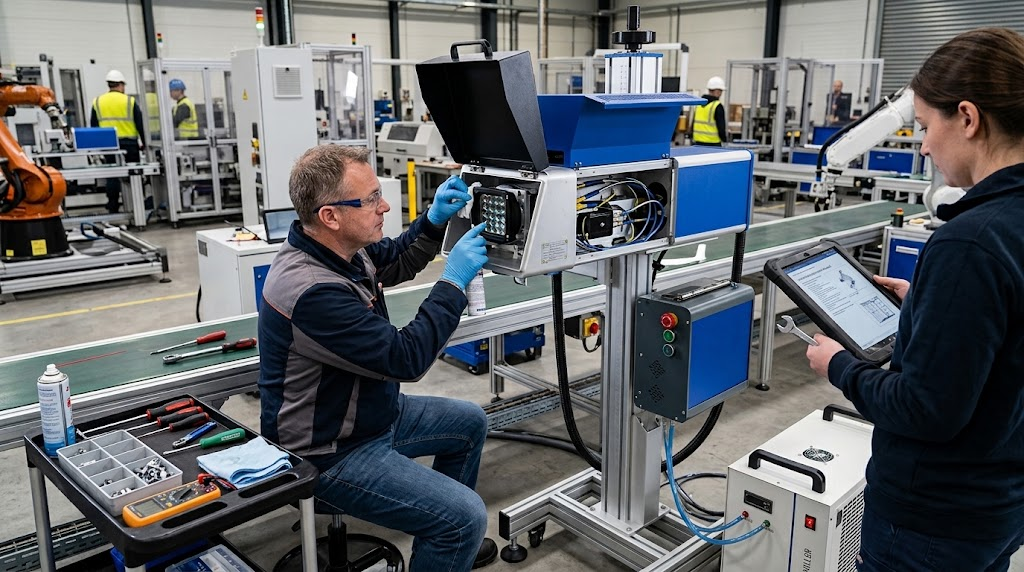
A laser marking machine is an important tool for many factories. It can mark metal parts, plastic products, electronic components, tools, and other industrial products with high speed and precision.
However, good marking results do not depend only on the machine itself. Regular maintenance also matters. Dust, dirt, poor ventilation, incorrect settings, and loose connections can affect marking quality and machine performance.
The good news is that basic maintenance is simple. With a clear routine, operators can keep the machine working smoothly and reduce unexpected downtime.
Why RegularLaser Marking Machine Maintenance Matters
A laser marking machine works with optical, electrical, and mechanical components. Each part needs to stay clean and in good condition.
Regular maintenance can help:
-
Keep marking quality stable
-
Reduce marking errors
-
Protect the laser source
-
Prevent overheating
-
Reduce unexpected downtime
-
Extend machine service life
-
Keep production running smoothly
For example, a laser marking machine for metal may work for long hours in a busy factory. Metal dust and other particles can build up around the machine. If they are not removed, they may affect the optical system and cooling performance.
Therefore, maintenance should be part of normal production work.
1. Clean the Machine Regularly
The first step is simple: keep the machine clean.
Use a soft, dry cloth to remove dust from the machine body and work area. Also, check the area around the laser head and ventilation openings.
Do not allow dust to build up around cooling vents. Blocked vents can reduce airflow and may cause the machine to become too hot.
For industrial workshops, it is useful to set a cleaning schedule based on the working environment. A dusty factory may need more frequent cleaning than a clean production room.
2. Check the Laser Lens and Optical Parts
The laser lens is one of the most important parts of the system. A dirty lens can reduce marking quality and may cause uneven or weak marks.
Before checking the lens, turn off the machine and follow the manufacturer's safety instructions.
Look for:
-
Dust
-
Smoke residue
-
Oil
-
Scratches
-
Other visible contamination
If cleaning is required, use the recommended lens-cleaning method and suitable materials. Avoid touching optical surfaces with bare fingers.
This small step can make a big difference to marking consistency.
3. Keep the Cooling System in Good Condition
Heat is a major concern for laser equipment.
Depending on the machine design, cooling may use air cooling or another cooling method. Check that cooling fans and vents are working properly.
Also, make sure there is enough space around the machine for heat to escape.
If the machine suddenly becomes hotter than normal, stops during production, or shows a temperature warning, stop and check the cooling system before continuing.
Yuanshida offers different laser marking systems for different production needs, including desktop and benchtop models designed for continuous industrial operation.
4. Check Cables and Connections
Electrical and data connections should also be checked regularly.
Look for loose or damaged:
-
Power cables
-
USB cables
-
Data cables
-
Grounding connections
-
Emergency-stop connections
Do not use damaged cables.
A loose connection may cause unstable operation or unexpected machine stops. Therefore, a quick visual check can prevent larger problems later.
5. Review Your Laser Marking Machine Setting
The laser marking machine setting has a direct effect on the final result.
Common settings include:
-
Laser power
-
Marking speed
-
Frequency
-
Pulse width
-
Focus position
-
Hatch spacing
-
Number of passes
Do not change several settings at the same time without testing. Instead, adjust one setting and check the result.
For example, if a metal mark is too light, increasing power may help. However, excessive power can damage the surface or create unwanted heat.
The right settings depend on the laser source, material, and marking design.
6. Check the Focus Before Production
Correct focus is essential for clear marking.
If the laser is out of focus, text and graphics may look blurred. Fine details may also become less clear.
Before a large production run, perform a small test mark. Check the focus and marking quality first.
This is especially important when changing to a different product size or shape.
For portable systems, the working position may change more often. Therefore, operators should pay close attention to focus when moving the machine.
7. Use the Correct Parameters for Different Materials
Different materials need different laser parameters.
A fiber laser is commonly used for metal applications. UV laser systems are suitable for fine marking on many sensitive materials, while CO₂ systems are widely used for non-metal materials.
Yuanshida's current product range includes fiber, UV, and CO₂ laser marking machines in handheld, desktop, and benchtop formats.
For this reason, do not copy the same settings from one material to another without testing.
The correct laser marking machine use starts with understanding the material and choosing suitable parameters.
8. Check the Machine Before Long Production Runs
Before starting a long production run, complete a short inspection.
Check:
-
Machine power
-
Cooling system
-
Lens condition
-
Focus
-
Marking parameters
-
Emergency stop
-
Workpiece position
-
Test marking result
This checklist takes only a few minutes. However, it can help prevent hours of production loss.
For example, if alaser marking machine 30W is used for a large batch, testing the first few parts can help confirm that the settings are correct before full production begins.
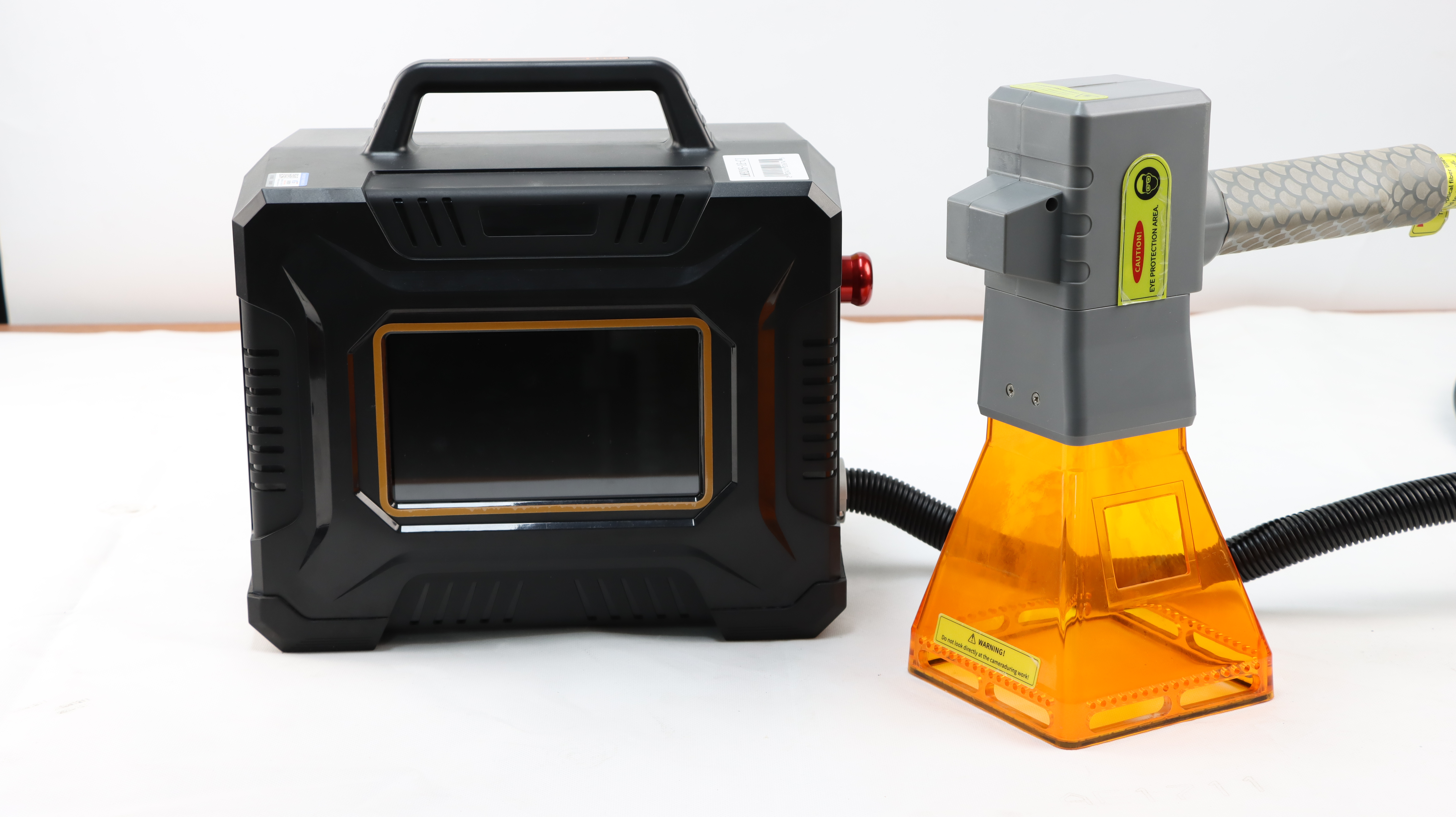
9. Give Portable Laser Marking Machines Extra Care
A laser marking machine portable system is useful when operators need to move between work areas or mark large parts.
However, frequent movement creates additional risks.
When moving a portable laser machine:
-
Hold it securely
-
Avoid strong impacts
-
Protect the laser head
-
Keep cables organized
-
Do not drag the machine by its cables
-
Check alignment after moving it
Yuanshida offers portable handheld fiber and UV laser marking machines, including models designed for flexible industrial use.
10. Keep a Maintenance Record
A simple maintenance record can help production teams identify problems early.
Record:
-
Cleaning dates
-
Lens inspections
-
Parameter changes
-
Error messages
-
Parts replaced
-
Maintenance work
-
Unusual machine behavior
Over time, these records can show patterns. For example, repeated overheating may indicate a ventilation or cooling problem.
This information is also useful when communicating with laser marking machine suppliers or service teams.
What About Laser Marking Machine Price?
When comparing laser marking machine price, buyers should look beyond the initial purchase cost.
A lower-cost machine may not always be the best choice for long-term production. Consider:
-
Laser source quality
-
Machine stability
-
Expected service life
-
Maintenance requirements
-
Technical support
-
Replacement parts
-
Production speed
-
Application range
A reliable machine with simple maintenance can provide better value over many years.
This is especially important for factories that operate equipment for long hours every day.
Can Laser Marking Machines Be Used for Construction Products?
Yes. A laser marking machine for construction can be used for identification and traceability on suitable products and components.
Applications may include:
-
Metal tools
-
Hardware parts
-
Pipes and profiles
-
Mechanical components
-
Fasteners
-
Equipment plates
-
Product numbers and logos
The exact machine should be selected based on the material, part size, marking depth, and production environment.
When Should You Contact a Supplier?
Basic cleaning and inspection can be handled by trained operators. However, some problems require professional support.
Contact your equipment supplier if you notice:
-
Sudden loss of laser power
-
Unstable marking quality
-
Repeated error messages
-
Unusual noise
-
Overheating
-
Damaged optical components
-
Electrical problems
-
Major alignment issues
Avoid opening or repairing key laser components unless you are qualified to do so.
A reliable supplier should also provide guidance on machine operation, maintenance, spare parts, and technical support.
Build a Simple Maintenance Routine
Maintaining a laser marking machine does not need to be complicated.
Daily: Clean the work area, check the lens, inspect cables, and run a test mark.
Weekly: Check cooling, ventilation, focus, and machine connections.
Monthly: Review machine performance, maintenance records, and major components.
When needed: Contact a professional service team for electrical, optical, laser-source, or alignment problems.
With regular care, your laser marking machine can deliver more stable results and support long-term production.
Yuanshida provides handheld, desktop, and benchtop laser marking solutions, including fiber, UV, and CO₂ systems for different industrial applications.


